One Booking Link
Customer Pay in One Click.
Set Your Slots.

SoloPayLink is the one simple booking link built for solo service pros who value their time. Customers choose a slot, pay instantly (or leave a deposit), and get confirmed — while you protect your work-life balance.

✅ No monthly fees ✅ Take deposits upfront ✅ Reduce no-shows
SoloPayLink Customer Portal
Pick your work type - we prefill the rest
Choose a template and SoloPayLink preloads realistic services, prices, durations and availability. You can edit everything before going live.
Template-guided setup
After login, your chosen template prefills realistic services + availability (like our Solo Services examples). You enter slug, business name, category & mobile.
Preview before you go live
You’ll preview your booking page at the final step before saving — so it looks perfect.
Tip: Click any template to sign in and start setup with that pack.
Secure sign-in · Secure payments · Built for solo professionals
🔒  No passwords stored 💳  No card storage ⚡  No complex setup 🏦  You control payouts 🤝  Your customers stay yours 🧹  Not happy? Delete anytime 💸  No monthly subscription 📅  Control availability,pricing anytime 💳  Stripe Checkout
Visa Mastercard Apple Pay Google Pay

How SoloPayLink works

Start in minutes, go live fast, then let customers book and pay in one smooth flow.
1 Create your account Google or email sign-in
2 Enter setup details Business, hours, services, pricing
3 Finish setup Your booking link becomes ready
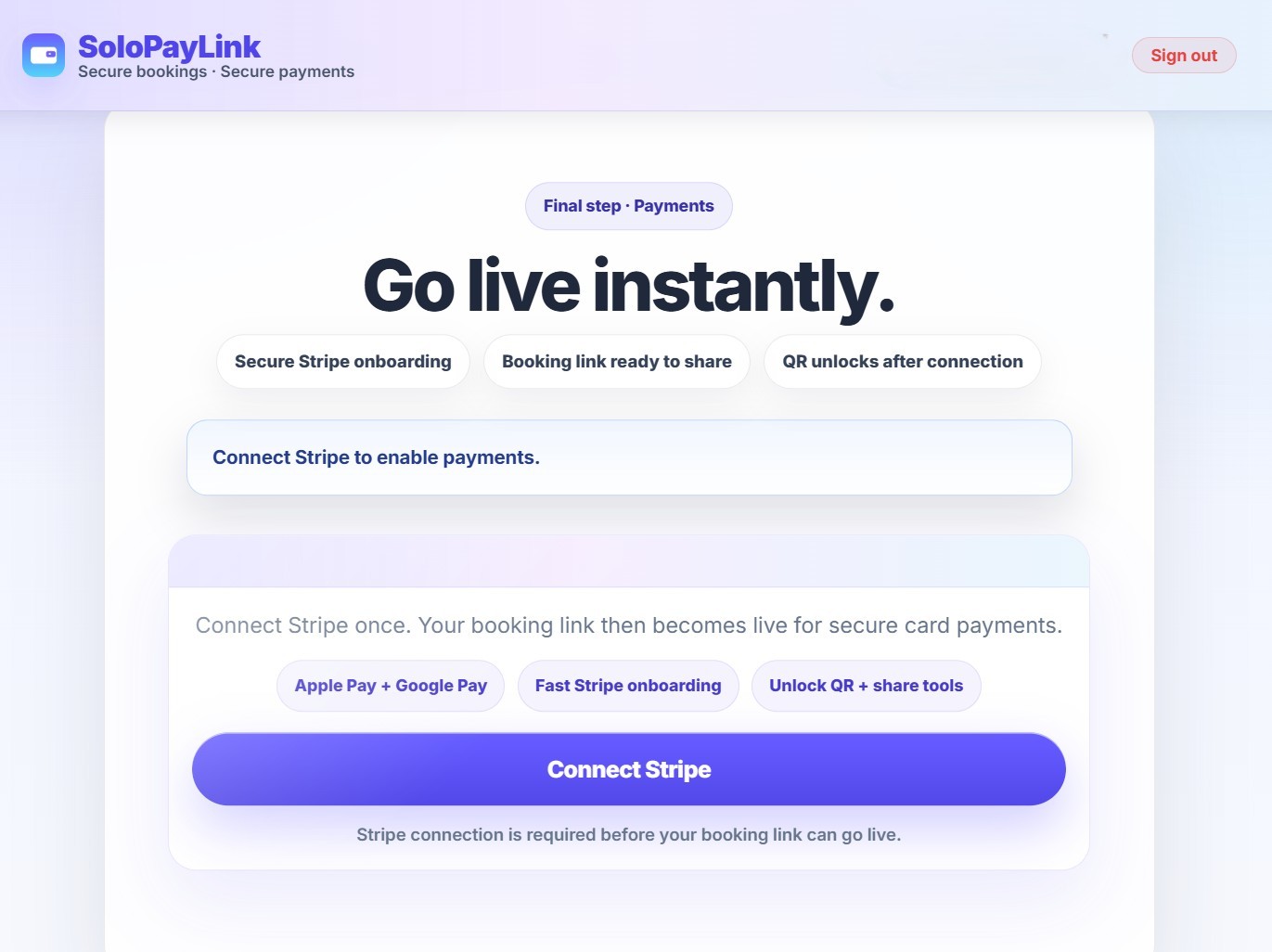
4 Connect Stripe Secure payments to your bank
5 Share, book and get paid Link or QR → customer books instantly
Driving instructor or tutor creating a SoloPayLink booking link to take upfront payments and stop no-shows
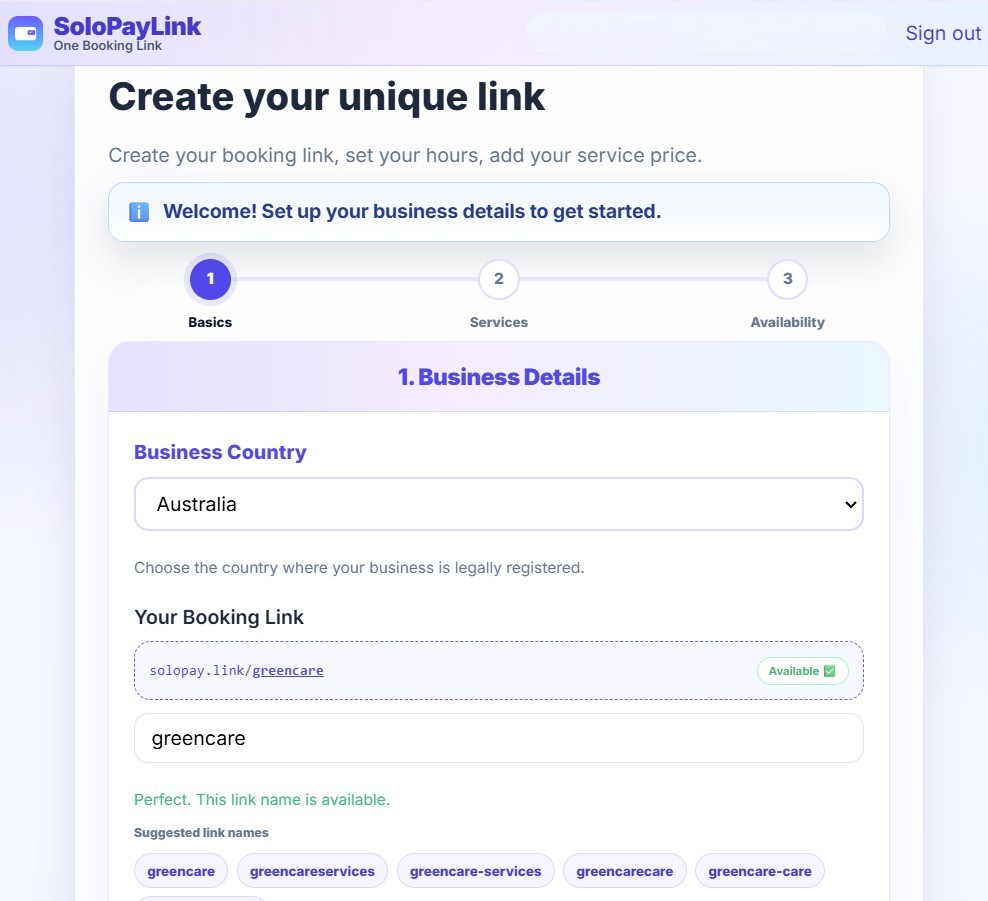
Creating setup
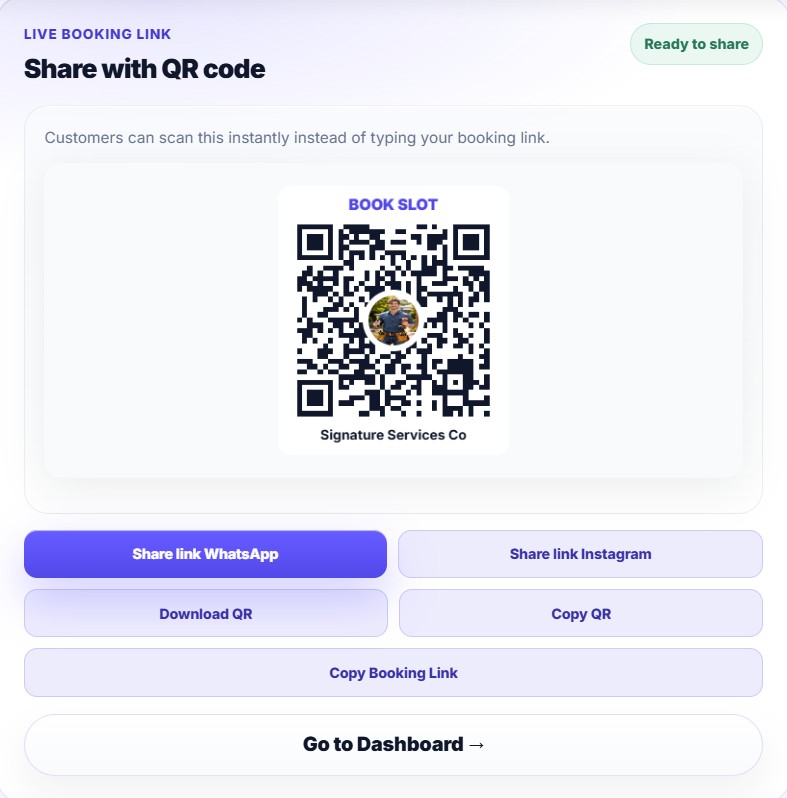
Solo service professional sharing their booking link via QR code on WhatsApp, Instagram or Google Business Profile
Connect your Stripe account
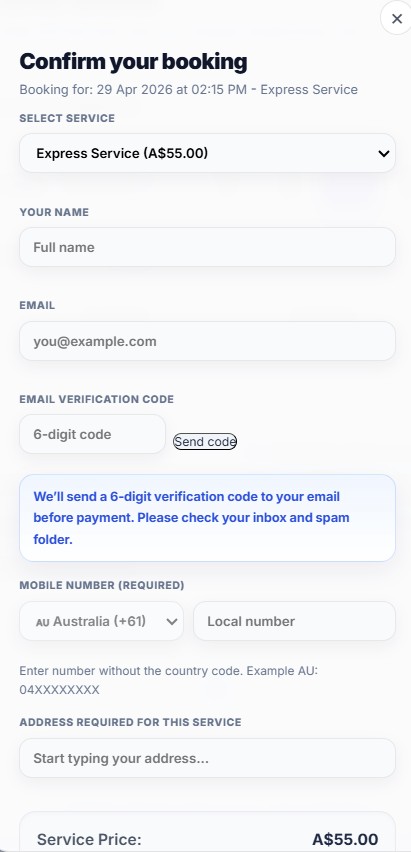
Customer booking a lesson or service via SoloPayLink with secure Stripe payment, Apple Pay or Google Pay
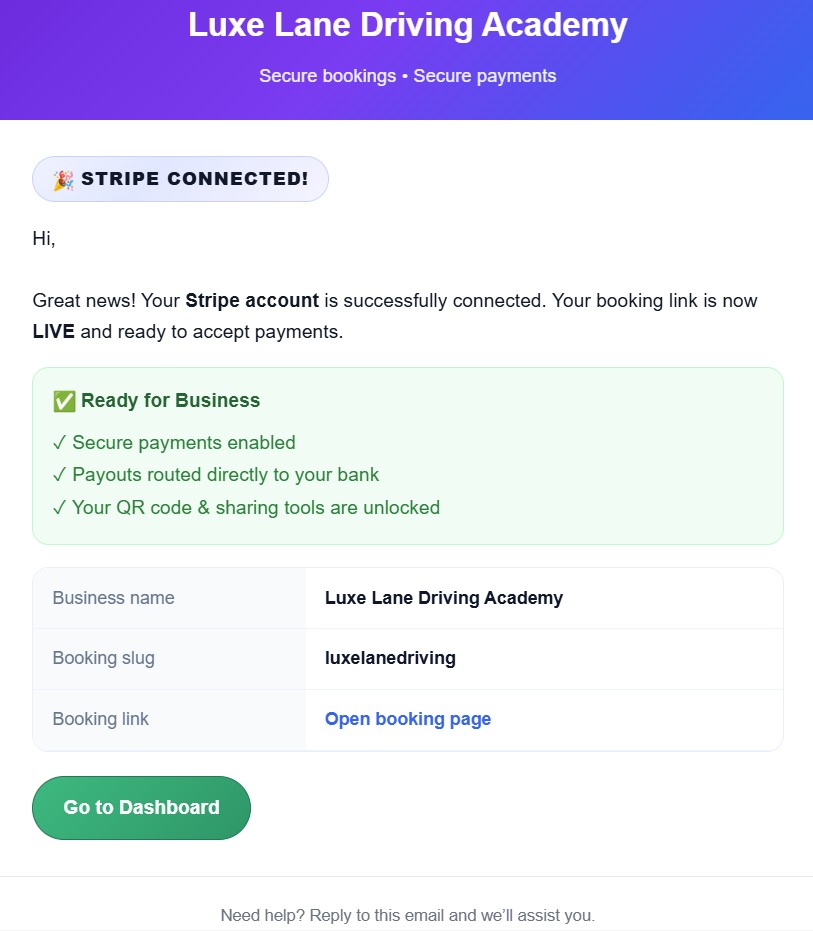
Stripe Connected Email

How SoloPayLink works

SoloPayLink setup screen where a solo business owner creates a public booking link
Step 1 · Create link

Create your public booking link

Set your business name, working hours, services, pricing and booking rules in one clean setup flow.

SoloPayLink booking QR code and public booking link ready to share with customers
Step 2 · Share

Share with customers anywhere

Share your link or QR on WhatsApp, Instagram, SMS, flyers or your Google Business Profile.

Customer booking screen showing time selection and secure payment through SoloPayLink
Step 3 · Get paid

Customers book and pay instantly

Customers choose a time, pay securely and receive instant confirmation without any back-and-forth.

Why SoloPayLink (not just Stripe / PayPal / Calendly)?

Stripe | PayPal are payment tools

They help you take money. SoloPayLink helps customers choose a time + pay in one flow.

Calendly is booking (payment is extra)

Calendly focuses on scheduling. SoloPayLink is built for solo services: booking + payment + confirmation.

SoloPayLink is the “one simple link” solution

Share one link (or QR). Customers book and pay instantly. You get fewer messages and fewer no-shows.

Example booking links

Every solo owner gets a unique link. Share it with customers — that’s all they need to book and pay.

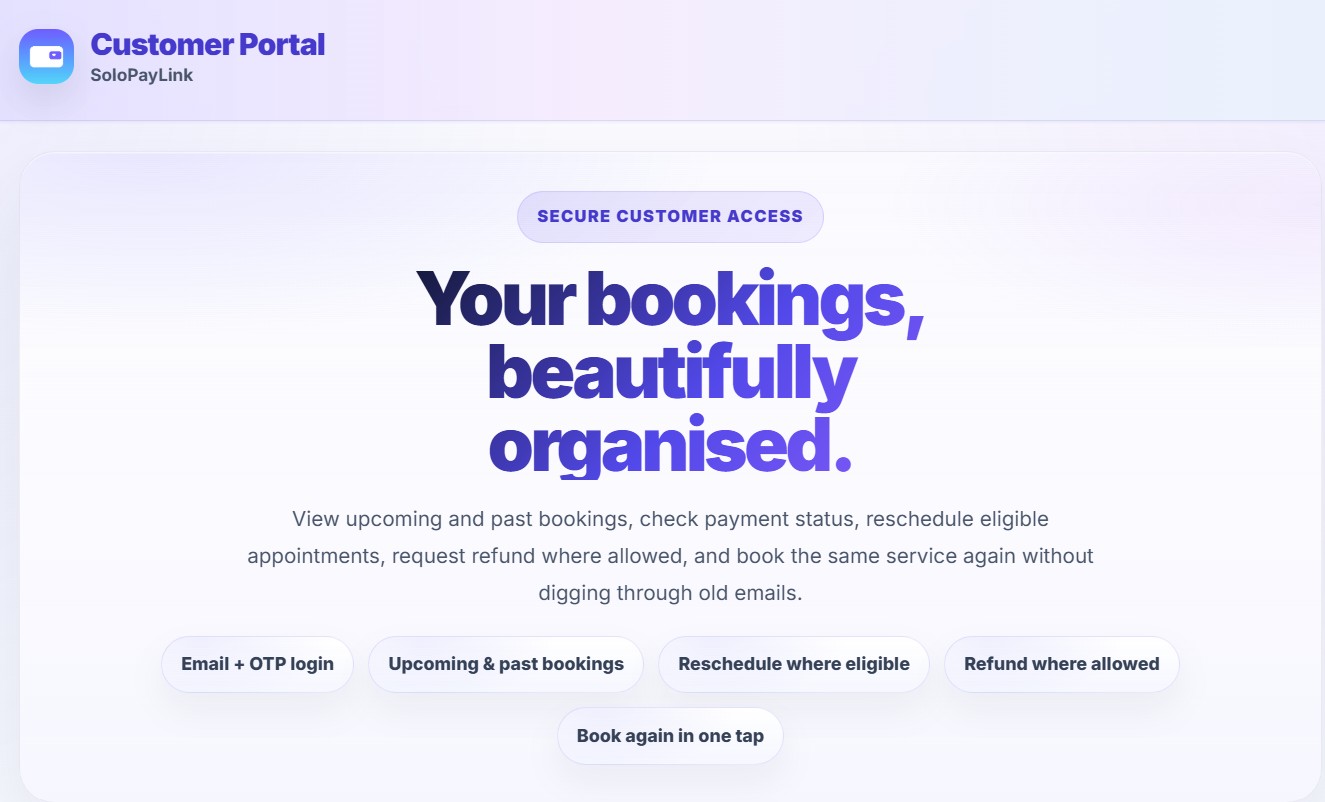
SoloPayLink customer Portal-solopay.link/my
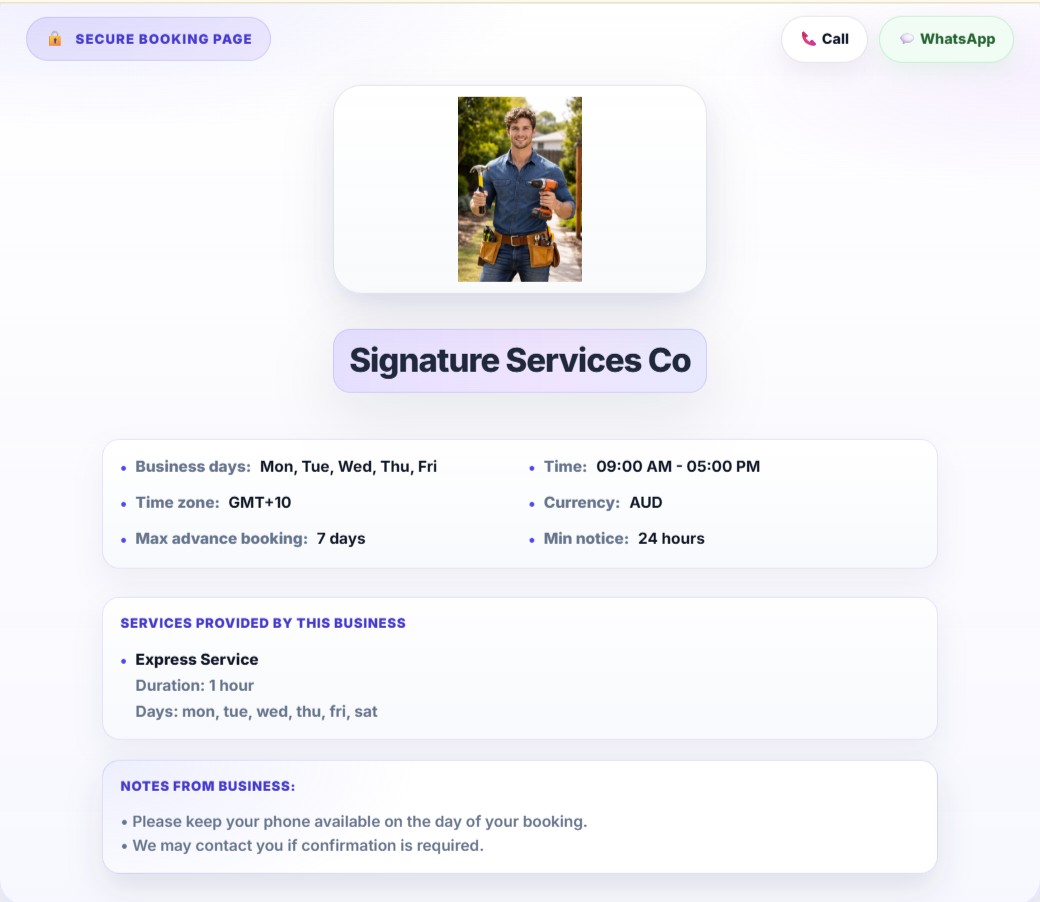
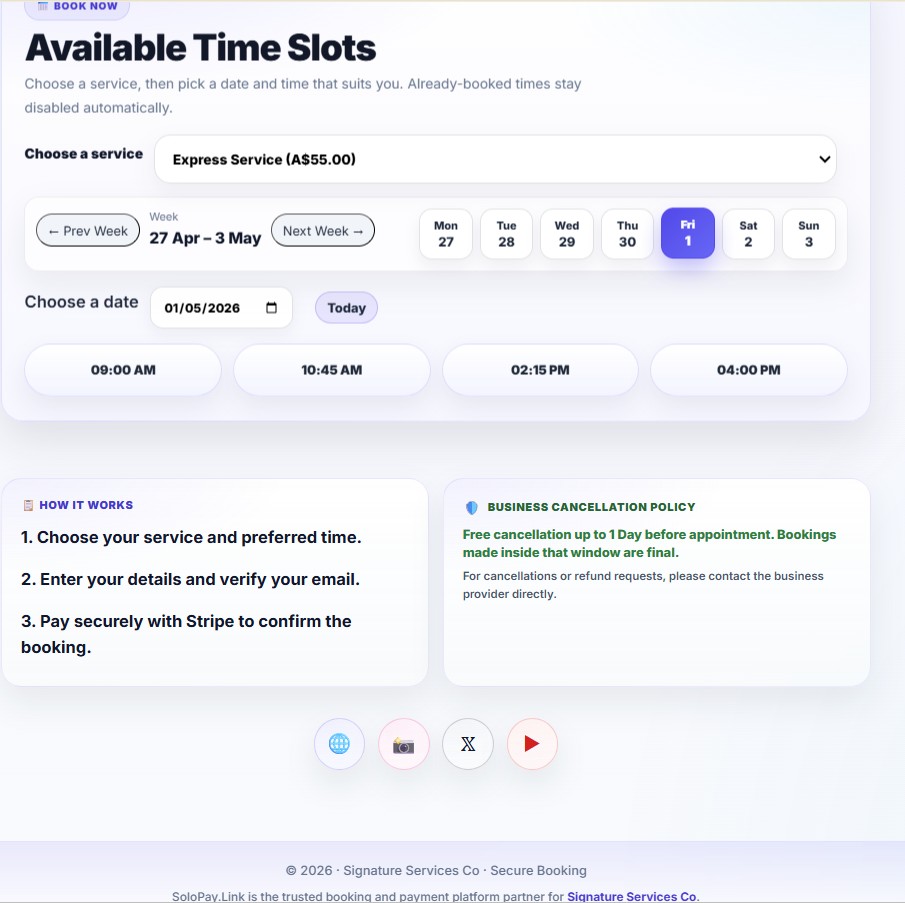
SoloPayLink secure booking and payment preview
Secure booking Page

Who can use SoloPayLink?

Mobile car detailer using SoloPayLink
Mobile car detailing business owner
Handyman and assembly service owner
Mobile dog washer business owner
Lawn mowing and garden service owner
Window and gutter cleaning business owner
Mobile mechanic using SoloPayLink
Home beauty parlour business owner
Lash and brow technician
Home-based barber
Music and piano teacher
Online and home tutor
Personal trainer using SoloPayLink
Solo driving instructor using SoloPayLink

Driving instructors

Students/Learners choose a lesson time and pay upfront. You get confirmed bookings without back-and-forth messages.

Tutors & coaches

One link for lessons or coaching sessions — online or in-person. Keep your bookings simple,paid and tracked.

Home services

Cleaners, handymen, gardeners, pet services and more — let customers pick a time and pay, so you spend less time chasing replies.

🚗 Built for Driving Instructors

Stop losing money to last-minute cancellations. Let learners book lessons, pay upfront (or leave a deposit), and show up ready to drive.

✅ Stop No-Shows Forever

Require full payment or a deposit before confirming. If they don't pay, they don't book — simple.

✅ Share Your Link Everywhere

Add to your Google Business Profile, WhatsApp status, Instagram bio, or car window QR code.

✅ Get Paid While You Teach

Stripe deposits funds directly to your bank. No chasing invoices. No awkward payment talks.

Popular searches we help you rank for:
• "booking system for driving instructors"
• "take lesson payments online"
• "reduce no-shows driving school"
• "simple appointment app for solo instructors"

📚 Perfect for Tutors, Coaches & Teachers

One link for all your students. Parents book slots, pay securely, and you spend less time admin, more time teaching.

✅ Protect Your Prep Time

Only confirmed, paid bookings appear in your calendar. No more "just checking availability" messages.

✅ Flexible Payment Options

Offer "Pay Full", "Pay Deposit", or "Pay Later" (with your approval) — you control the rules.

✅ Work-Life Balance Built-In

Set your hours once. The link only shows available slots. Your evenings and weekends stay yours.

🔧 Ideal for Cleaners, Handymen & Mobile Services

Stop quoting over text. Stop driving to "maybe" jobs. Let customers book, pay a deposit, and confirm — before you leave home.

✅ Filter Serious Customers

Deposits = commitment. Spend time only with clients who value your work.

✅ Professional First Impression

A clean booking page builds trust before you even arrive. Look pro, get paid pro.

✅ Zero Subscription Traps

Pay only when you earn. No monthly fees. No lock-in. Cancel anytime.

Frequently Asked Questions

Do I need a website?
No. Your SoloPayLink is your mini booking page — share one link and you’re ready.
How do I get my money?
Connect Stripe and customers pay you securely. Funds are handled by Stripe and paid out to your linked bank account.
Can I change my hours or price later?
Yes — open your setup page (and dashboard) anytime to update hours, pricing, and services.
Can customers see already booked times?
Yes. Once a booking is paid, that time slot is automatically blocked so others can’t double-book it.

Built to earn trust before you ask for payment

SoloPayLink is in launch mode, so we keep proof honest: clear money flow, Stripe-hosted checkout, owner control, customer email verification, and realistic examples you can inspect before going live.

1 link Customers book, pay and get confirmed in one simple flow
3 flows Pay Full, Deposit and trusted Pay Later for premium flexibility
4 markets Available now in Australia, New Zealand, United Kingdom and Canada
Launch scenario

Less time replying. More time teaching.

A driving instructor can share one booking link. Learners choose an open slot, verify email, pay through Stripe, and receive confirmation without a long message thread.

Example flow, not a customer testimonial: share link, pick lesson, pay full or deposit, get confirmed.
Launch scenario

A cleaner booking flow for parents and students.

A tutor can put one booking link in WhatsApp, Instagram, or a website button. Parents see services, available times, price, payment status, and booking confirmation in one place.

Example flow, not a customer testimonial: simple setup, clear availability, secure checkout.
Launch scenario

More commitment, fewer flaky bookings.

A cleaner, mobile detailer, coach, or beauty professional can require full payment or a deposit before a slot is confirmed, so serious customers are easier to identify. Onsite work uses the owner's local currency; online services use USD for clear cross-border checkout.

Example flow, not a customer testimonial: collect commitment first, then deliver the service.

Real customer testimonials will be added only after verified owners give permission to publish them. United States, India and Philippines are planned next.

Launch mode transparent pricing, demo-ready examples, placeholder company details, and no fake testimonial numbers

Takes about 2 minutes.