💰 Your Money, Your Control
You own your Stripe account. Customers pay you directly — SoloPayLink never holds your money. We only charge the transparent booking fee shown above. No surprises, no hidden deductions.

SoloPayLink is built for solo professionals who refuse to pay for software they don't use. No monthly fees. No setup costs. No annual contracts. You only pay when you get booked. Your customers book through solopay.link. You keep 100% control through SoloPayLink.
You own your Stripe account. Customers pay you directly — SoloPayLink never holds your money. We only charge the transparent booking fee shown above. No surprises, no hidden deductions.
Clear payment handling. Customers pay through Stripe checkout, and SoloPayLink does not store full card numbers, CVC, or customer bank login details. They also get confirmations, receipts, and portal access.
No feature gating. No "upgrade to unlock". Booking link, customer portal, dashboard, email confirmations, QR codes — all included. Pay only when booked, not for features you don't use.
Zero monthly fees. Zero setup costs. SoloPayLink only makes money when you get booked. Your customers never pay extra SoloPayLink fees — they see only your service price. You pay a small, transparent booking fee based on the booking type.
Get paid 100% upfront. Customer pays the full amount instantly. Perfect for driving lessons, tutoring, and services where you want lower unpaid-booking risk.
Secure commitment upfront. Customer pays a deposit to lock the slot, balance collected later. Ideal for high-value services or new clients.
Trust-based premium flow. For your VIP clients or when you create bookings manually. Payment collected after service or via invoice.
Crystal-clear status labels for you and your customers. No confusion, no guesswork — just simple, professional booking management.
Customer paid everything at booking.
No balance is left.
Customer paid part now.
Balance is still left to collect.
Booking is confirmed.
Payment will be collected later.
Service is done and payment is complete.
The booking is nearly closed.
The booking is finished.
No further normal action is expected.
Refunded means payment was returned.
Cancelled means the appointment is no longer active.
Fully Paid → Paid Completed → Completed
Paid Deposit → pay remaining later → Paid Completed → Completed
Pay Later → collect payment later → Paid Completed → Completed
Fully Paid = fully paid now
Paid Deposit = partly paid
Pay Later = still to collect
Completed = fully closed
| Booking type | What customer does | What owner pays | What customer sees |
|---|---|---|---|
| Pay Full | Books and pays in full online | 1.5% | Secure payment, instant booking confirmation, emails, customer portal record |
| Pay Deposit | Books now and pays a deposit online | 5% of deposit amount | Secure deposit payment, confirmed slot, emails, customer portal record |
| Pay Later | Books now and payment is collected later by the business | 1.25 flat in the booking currency | Reserved booking, premium controlled flow, customer portal record, trusted reschedule logic where enabled |
SoloPayLink is launching first for English-speaking solo owners in Australia, New Zealand, the United Kingdom and Canada. Onsite and offline services use the owner's local business currency. Online and remote services use USD checkout.
| Country | Status | Onsite/offline currency | Online/remote currency |
|---|---|---|---|
| Australia | Available now | AUD | USD |
| New Zealand | Available now | NZD | USD |
| United Kingdom | Available now | GBP | USD |
| Canada | Available now | CAD | USD |
| United States, India, Philippines | Coming soon | Not yet enabled | Not yet enabled |
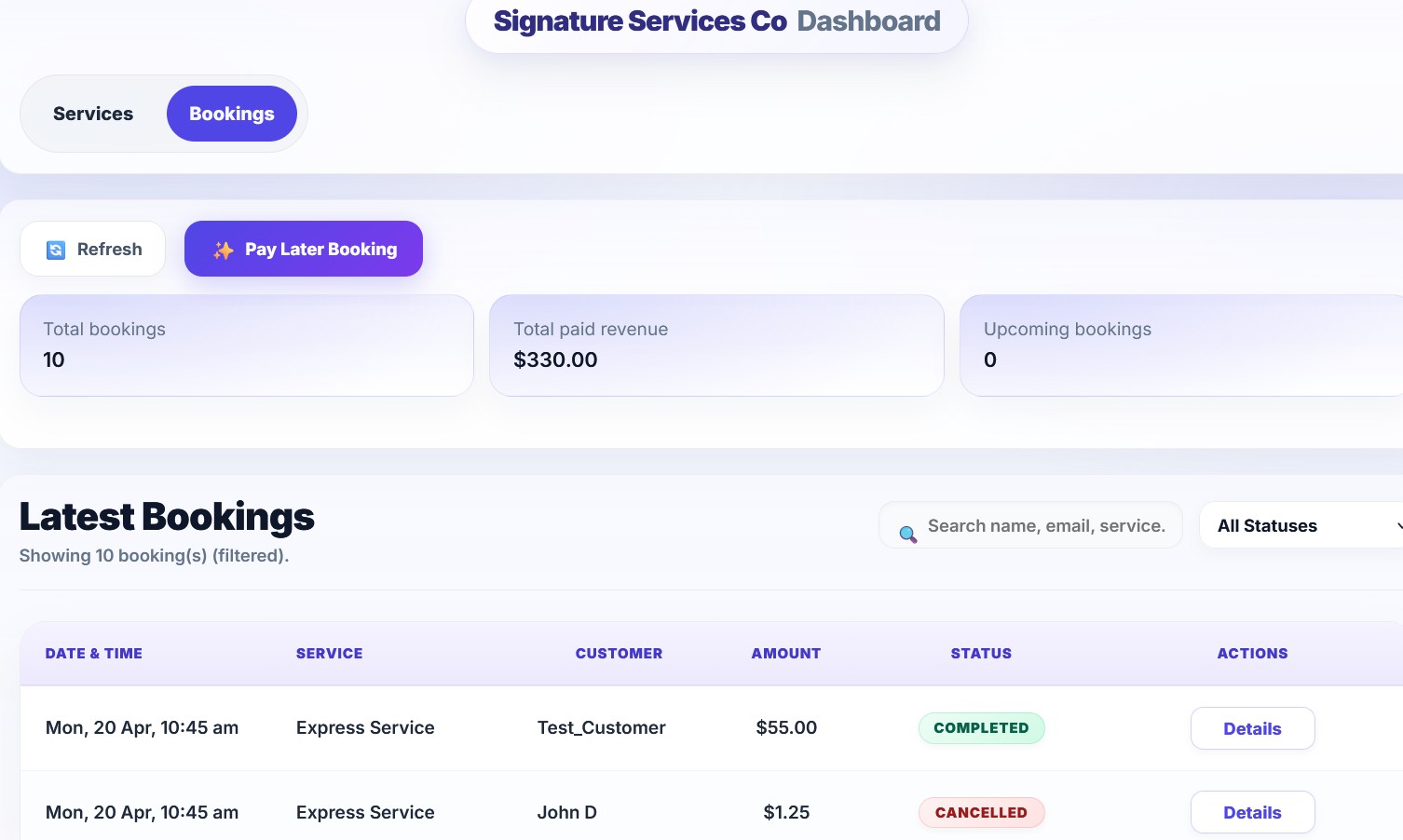
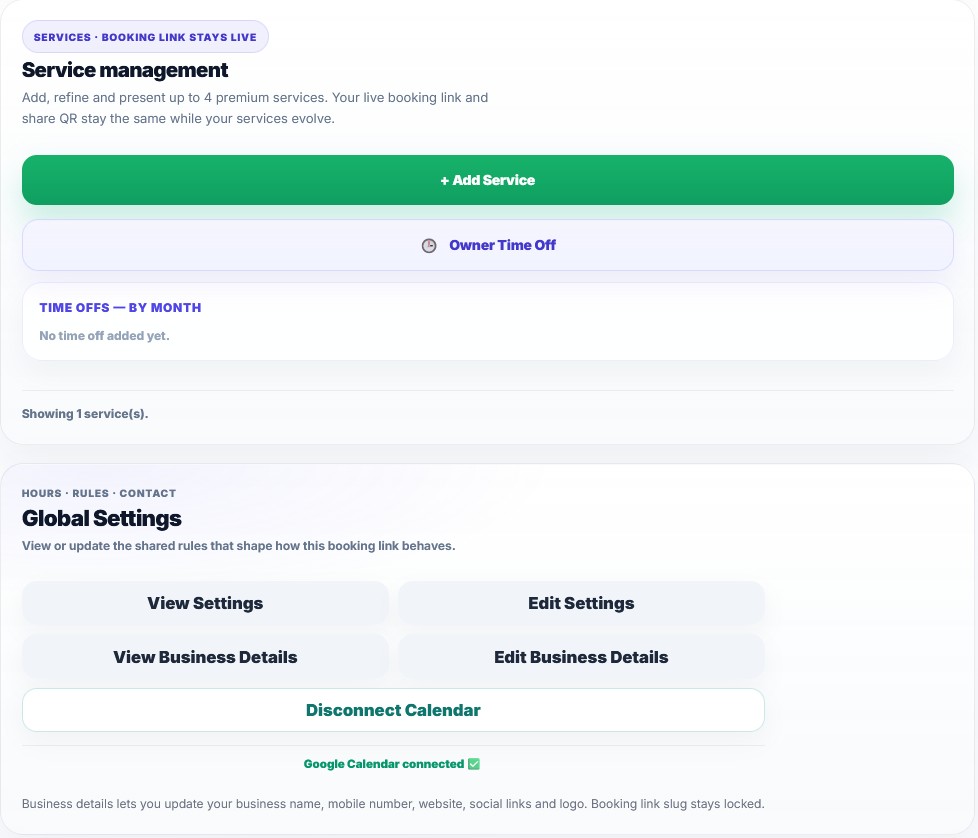
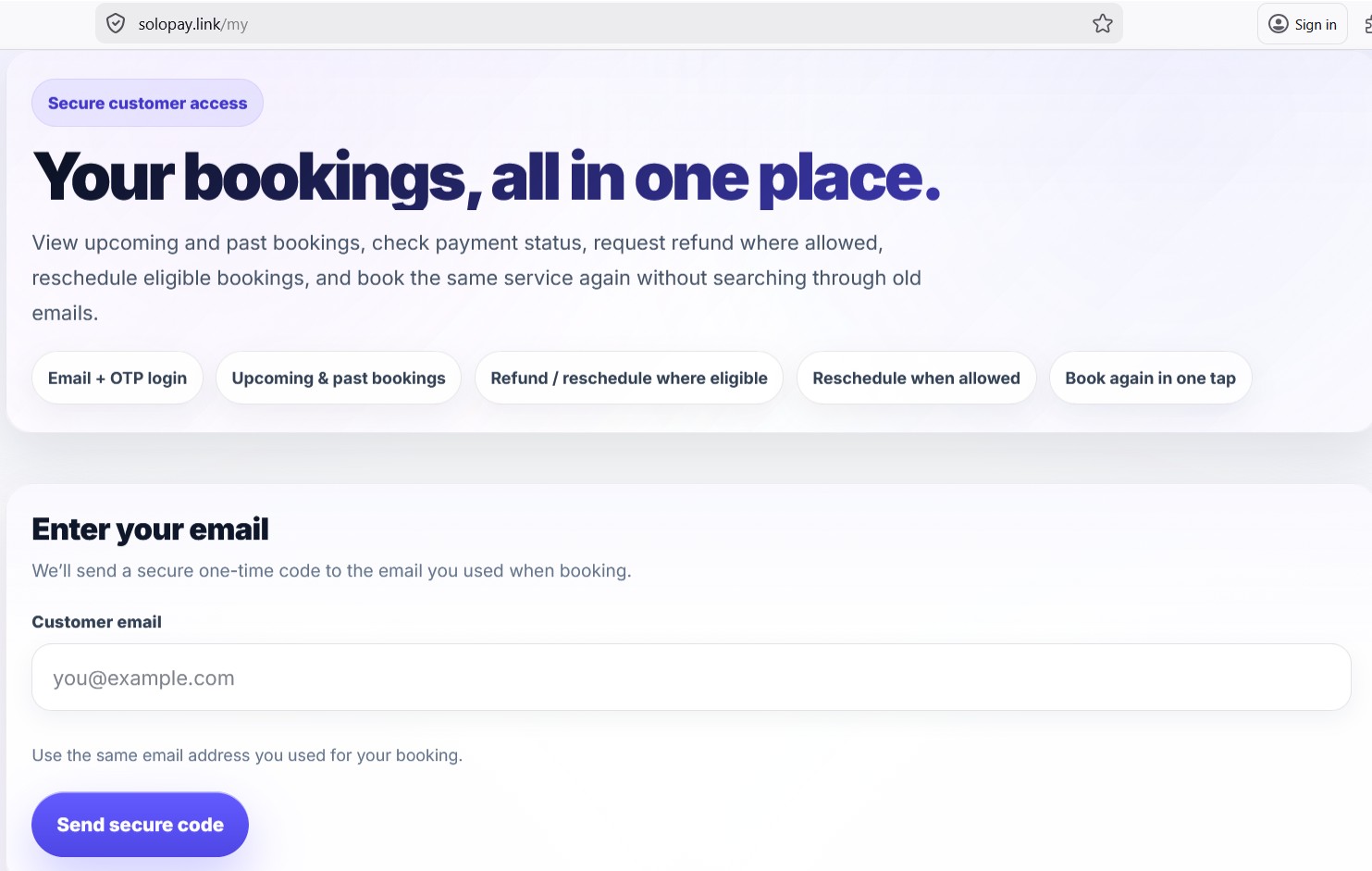
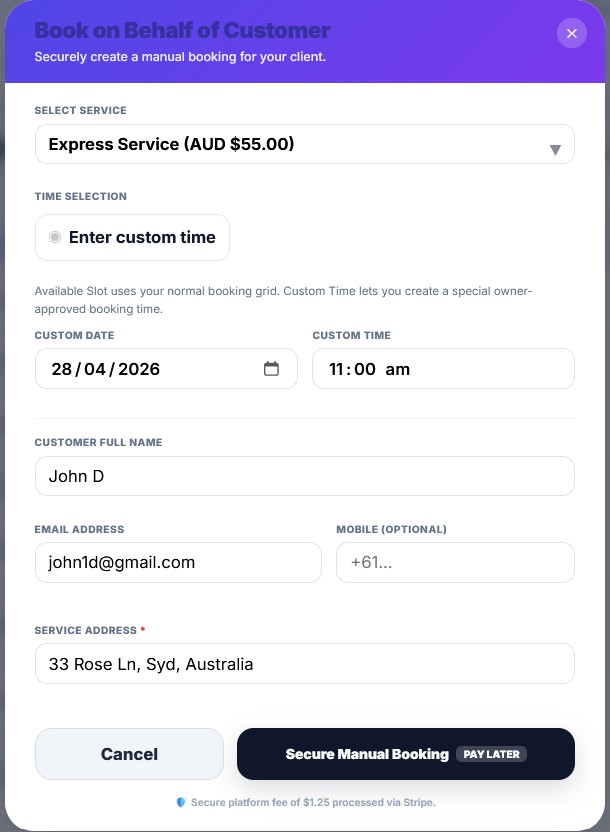
SoloPayLink is not just a payment button. It is a full booking and trust system built for solo businesses.
Every business gets a clean booking link through solopay.link so customers can book without needing a full website.
Customers pay through Stripe and the owner connects their own Stripe account, which keeps the money flow clear and trustworthy.
Services, durations, working days, notice windows, breaks and booking logic all work together to create proper slot control.
Booking confirmation emails go out to both the owner and the customer so the experience feels complete and reliable.
Customers can view upcoming and past bookings, payment status, reschedule where allowed and book again without confusion.
SoloPayLink supports a premium trust-based system for selected customers, including controlled Pay Later flows where enabled.
Stripe processes the payment, the business owner controls their Stripe account, and SoloPayLink charges a clear platform fee.
SoloPayLink supports customer convenience, but with rules set by the business. This keeps the platform fair to both sides.
| Flow | Customer can see | Customer may do | Important note |
|---|---|---|---|
| Pay Full | Booking status, payment status, upcoming/past view | Refund where allowed, reschedule where allowed, book again | Refunds still follow the business refund policy and time window |
| Pay Deposit | Deposit paid status, booking details, portal history | Refund where allowed, reschedule where allowed, book again | Remaining balance may still be collected later by the business |
| Pay Later | Booking details and status | Book again. Reschedule only where the business allows it. | Pay Later is a more controlled premium flow and is not treated like a refundable card payment |
SoloPayLink is not asking customers to send money manually. The payment experience is structured, secure and connected through Stripe.
No confusing subscription ladder. No hidden “contact us” pricing. No mystery add-ons for basic flow.
Booking page, confirmations, portal and trust features all work together so the business looks premium to customers.
Your customers do not pay an extra SoloPayLink platform fee at checkout. They see the service price set by the business.
Stripe may still charge its standard payment processing fees separately. Those fees are independent of SoloPayLink.
Refunds follow the business refund settings and the booking timing. SoloPayLink platform fees are not treated the same as service refunds.
Services on SoloPayLink should be priced above $10 so the booking model remains fair and sustainable across all flows.
SoloPayLink is operated by Solo Digital Ltd, a company registered in England & Wales. Companies House number: 17220868. Support: support@solopaylink.com
The platform brand is SoloPayLink. Customer-facing booking links are shown through solopay.link. Support and business emails can still come from addresses like support@solopaylink.com.
Set up your business, connect Stripe and start taking secure bookings in minutes.